How to use crypto casinos on your phone, safely and without the hassle
Most online gambling now happens on a phone. Here's how to set yours up, send crypto without mistakes, avoid fake apps and stay in control, step by step.

The short answer
Your phone is probably where you gamble most, and it’s also where mistakes happen fastest. A tap can send crypto to the wrong place, a fake app can empty a wallet, and a casino that lives in your pocket is easy to open at 2am. The good news is that a few minutes of setup fixes most of it.
- Play in the browser or from a home-screen shortcut. Real crypto casino apps in the official stores are rare, and “apps” sent to you as download links are a common trap.
- Lock down your logins. Use an authenticator app for two-factor login, put a PIN on your SIM card and keep your phone updated.
- Send crypto slowly. Scan the QR code, check the address and the network, and send a small test first.
- Stay off public Wi-Fi when you log in or move money. Use mobile data.
- Set limits on the phone itself. Screen Time, Digital Wellbeing and free blocking apps work better than willpower at midnight.
The Danish numbers come from the regulator’s own market report for 2025. For online casino alone, 69% of revenue came from phones and tablets, the highest share Denmark has recorded. The European figure is an industry estimate from the European Gaming and Betting Association and H2 Gambling Capital. The British figure is from the Gambling Commission’s 2020 look at online gambling, the newest official device split we could find.
Why most crypto casinos have no app in the store
You might search the App Store for your casino and find nothing. That’s normal, and it’s down to the stores’ own rules.
Apple’s App Store Review Guidelines say a real-money gambling app needs the right licensing for every place it’s used, must be limited to those places, and must be free to download. Google Play’s policy is similar. It allows real-money gambling apps only in selected countries, only from licensed or government operators, and only after the developer applies to Google.
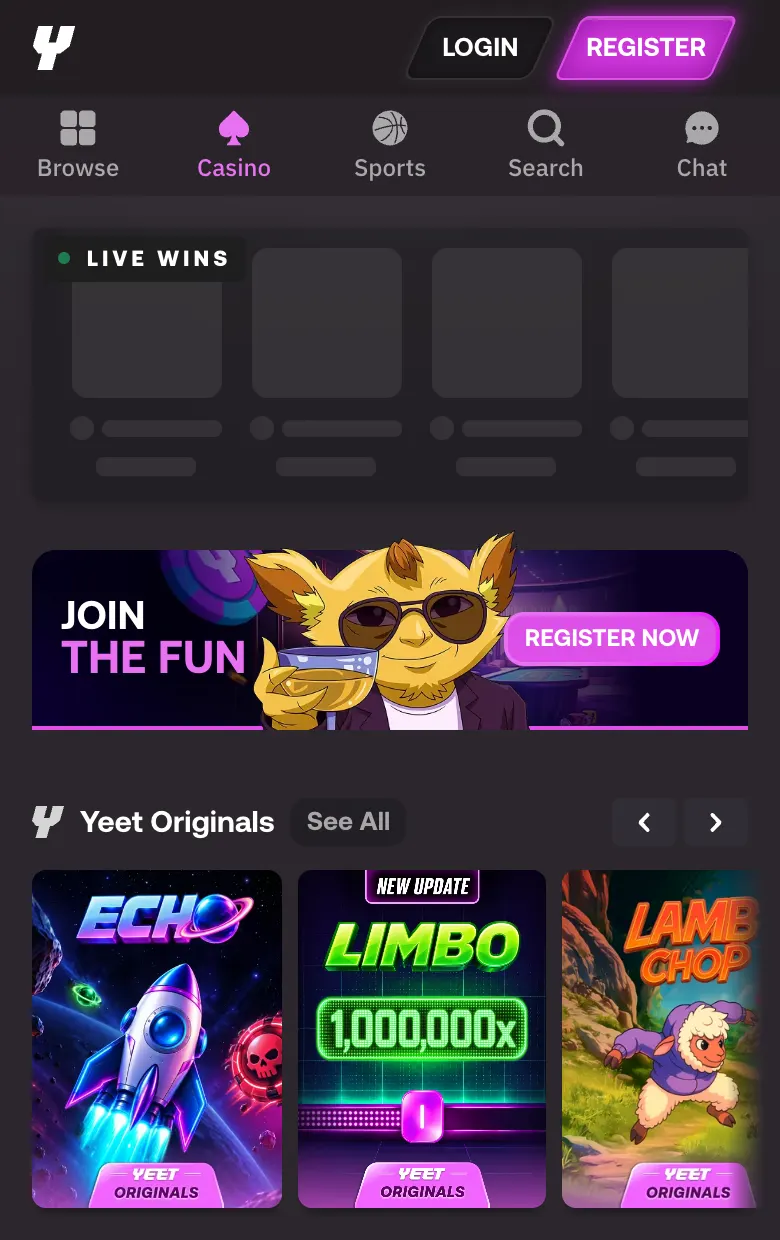
Most crypto casinos hold one offshore licence and serve players in many countries, so they don’t offer a store app at all. They build a mobile website instead, and a good one feels like an app anyway.
Your options, from safest to riskiest
| How you play | What it is | Good | Watch out for |
|---|---|---|---|
| Phone browser | The casino’s website in Safari or Chrome | Nothing to install, always the latest version, easy to log out | Typing the address wrong, or reaching a fake site through an ad |
| Home-screen shortcut | The same website saved as an icon (“Add to Home Screen”) | Opens full screen like an app, and always opens the address you saved | Make sure you saved the real site, not a copy |
| App from the App Store or Google Play | A store app from a licensed operator | Checked by the store, updates itself | Rare for crypto casinos. Fake copies sometimes slip into the stores too |
| App file sent as a link (an APK on Android) | An installer from a website, chat or ad | Nothing | No store checks at all. This is how a lot of wallet-stealing malware spreads |
The last row is not a theory. In 2024, Check Point found a fake “WalletConnect” app on Google Play that stayed up for nearly five months, was downloaded more than 10,000 times and took over $70,000 from more than 150 people. If a fake can get into the official store, an installer from a Telegram link deserves zero trust.
How to save a casino to your home screen
- Open the casino in your browser by typing the address yourself or using your bookmark. Don’t tap an ad.
- Check the address bar letter by letter. Copycat domains often swap one letter or add a word.
- On iPhone, tap the Share button and choose Add to Home Screen. On Android in Chrome, tap the three-dot menu and choose Add to Home screen or Install app.
- From now on, open the casino only from that icon or your bookmark.
Our story on search ads that lead to cloned casinos shows why step 1 matters. The top result for a casino’s name can be an ad for a copy.
Set up your phone before your first deposit
Five minutes here protects every deposit you make later.
- Update your phone. System updates fix security holes. Turn on automatic updates if they’re off.
- Lock the screen with a PIN or Face ID or fingerprint, and set it to lock quickly. A crypto wallet on an unlocked phone is cash on a table.
- Use an authenticator app or a passkey for two-factor login, not text messages. More on that below.
- Put a PIN on your SIM card and ask your mobile provider about a port-out or SIM-swap lock. A SIM swap is when a criminal talks your provider into moving your number to their SIM, so they receive your login codes.
- Keep your wallet’s recovery phrase off the phone. Don’t screenshot it, don’t keep it in notes and don’t save it in a chat. In 2023 ESET found fake versions of WhatsApp and Telegram that scanned people’s saved images to find exactly that.
- Bookmark the real casino and the real wallet sites. Then use the bookmarks every time.
Which two-factor method to pick
Two-factor login means a second check after your password. Not every second check is equally strong. The US Cybersecurity and Infrastructure Security Agency (CISA) ranks the options and calls text messages a last resort.
| Method | How it works | Strength | Main weakness |
|---|---|---|---|
| Passkey or security key | Your phone or a small key proves who you are, no code to type | Strongest | Few crypto casinos support it yet |
| Authenticator app (Google Authenticator, Authy and similar) | A 6-digit code that changes every 30 seconds, made on your phone | Strong | A fake login page can still trick you into typing the code |
| Text message (SMS) code | A code sent to your phone number | Weakest | A SIM swap sends your codes to someone else |
| No two-factor | Password only | None | One leaked password is enough |
SIM swaps are a real, ongoing problem. The FBI’s 2025 Internet Crime Report counted 971 SIM swap complaints in the United States that year, with $17.4 million lost. Those are only the people who reported it.
Sending crypto from your phone without costly mistakes
On a small screen it’s easy to send the right amount to the wrong place. Crypto payments can’t be reversed, so the checks have to happen before you tap Send.
The four-check habit
- Get the address fresh from the casino’s cashier, every time. Don’t copy it from your wallet’s history or an old message.
- Scan the QR code if there is one. It avoids copying and pasting altogether.
- Check the address in three places, the first six characters, the last six and a few in the middle. Look-alike addresses are built to match the start and the end.
- Check the network. The casino will say which one it expects, for example USDT on Tron (TRC-20) or on Ethereum (ERC-20). Sending on the wrong network can lose the money.
For your first deposit at a new casino, send a small test amount and wait for it to show in your balance before you send the rest.
The two tricks this habit beats
Clipboard hijackers. Some malware watches what you copy. When you copy a crypto address, it swaps in the attacker’s address, and you paste theirs without noticing. ESET found the first one on Google Play in 2019, posing as the MetaMask wallet.
Address poisoning. An attacker sends you a tiny payment from an address that starts and ends like one you use. Later you copy the wrong one from your history. Researchers presenting at USENIX Security 2025 measured this on Ethereum and BNB Smart Chain and counted 270 million attempts over two years, with at least $83.8 million lost.
Check the fee before you send
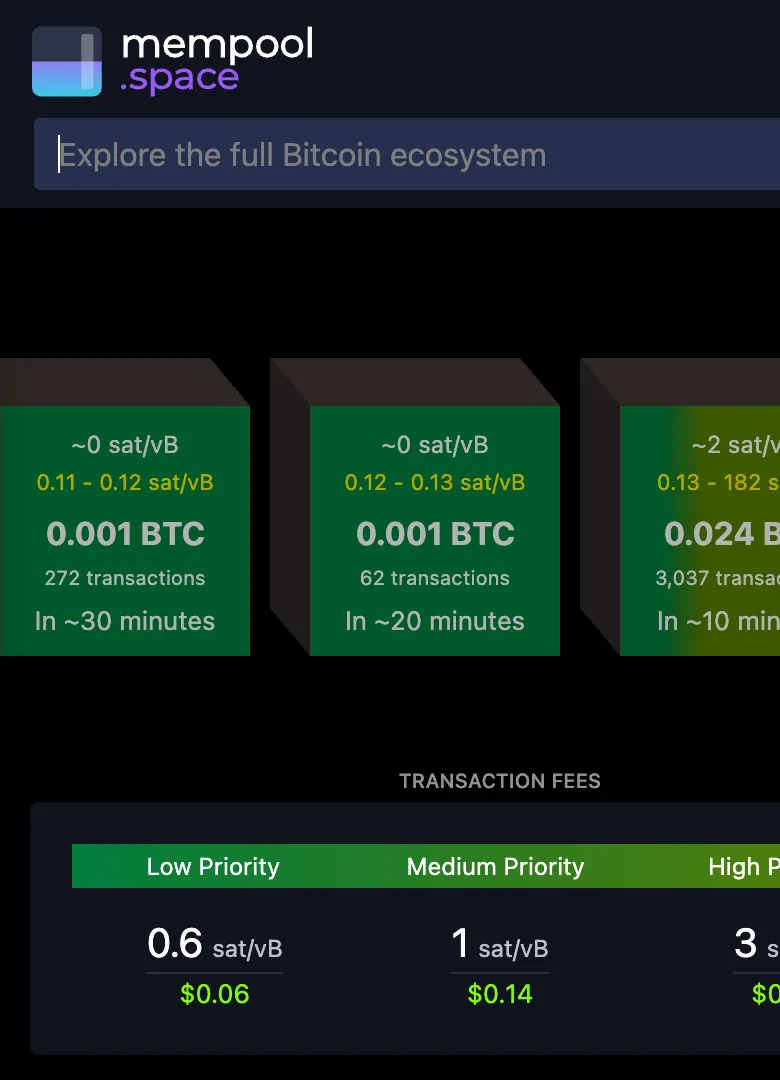
Network fees change through the day. On Bitcoin, a block explorer like mempool.space shows the current fee levels and roughly how long each one takes. If the casino is quick to credit deposits, the medium fee is usually enough. Our coin pages explain how fees and confirmation times work on each network, for example Ethereum and Tron.
Making a casino site easier to use on a small screen
Mobile casino sites differ a lot. A few habits make any of them easier and cheaper to use.
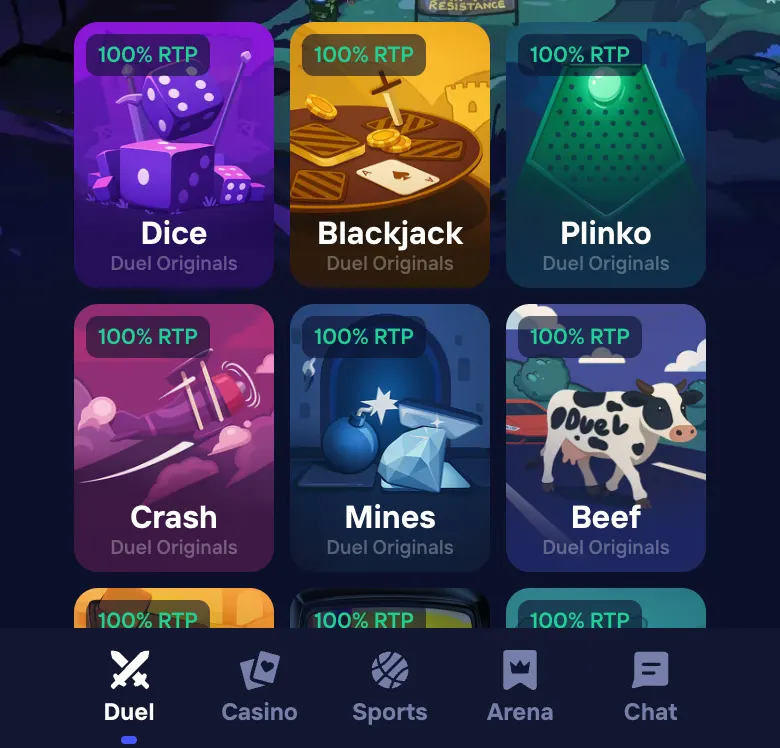
- Use the bottom tab bar. Good mobile sites put the main sections where your thumb rests. If yours hides everything behind a menu, bookmark the pages you use most, like the cashier and your bet history.
- Turn the phone sideways for live dealer and table games. Most live games are built for a wide screen, and the betting buttons get bigger.
- Watch your data on live casino. A live dealer game is a video stream. Providers don’t publish data use, but as a rough guide Netflix says its app uses about 1 GB every 4 hours on the default setting and up to 1 GB every 20 minutes at its best quality. On a small plan, play live games on your home Wi-Fi.
- Avoid public Wi-Fi for logins and payments. The UK’s National Cyber Security Centre notes there’s no easy way to know who controls a public hotspot and suggests using mobile data instead.
- If your connection drops mid-game, don’t keep tapping. Reconnect, then open your bet history to see what happened to the round before you play again.
- Turn off the casino’s push notifications and promo emails. They exist to bring you back. You can still open the site whenever you choose.
- Be wary of “turbo” and “quick spin”. They make each round faster, which means you lose money faster on games that favour the house. Normal speed gives you more time per euro.
When the site says “Location restricted”
Casinos block countries they don’t serve, and a phone gets blocked just like a computer. Mobile data and Wi-Fi can also put you in different places, so the same casino can open at home and be blocked on the train.
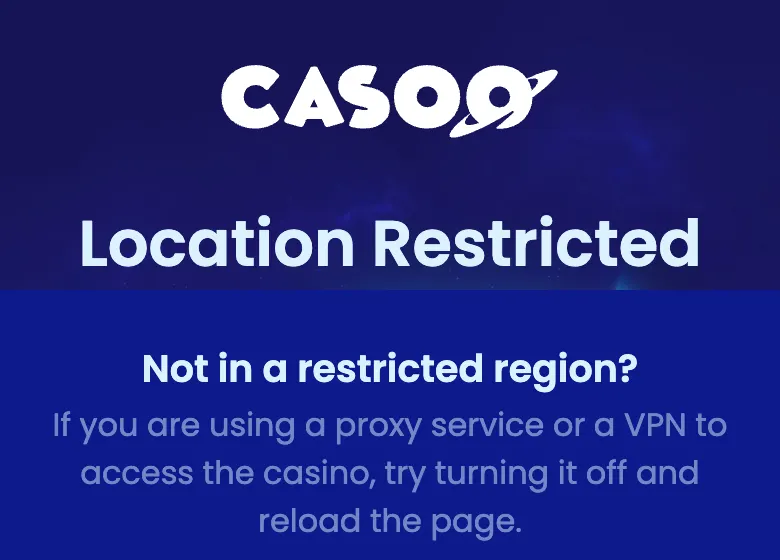
If you see this, take it as the answer. Don’t use a VPN to get around it. It usually breaks the casino’s terms, and a casino can check where you are again when you withdraw. People in that position can end up with a closed account and winnings held back. Our guide on what to do if a casino won’t pay covers how those disputes tend to go.
Staying in control when the casino is always in your pocket
This is the honest part. A phone makes gambling easier, and easier isn’t always better for you.
Researchers who studied UK casino accounts for GambleAware found that 10.8% of slots-only sessions happened late at night, between midnight and 6am. Late-night live casino players spent £1.75 a minute on average, against £1.20 in sessions of up to an hour. The researchers couldn’t say whether the night causes riskier play or whether night players are simply different people. A 2023 study of young Australian bettors found that betting on a smartphone was linked to more impulsive bets than betting on a computer. Again, that’s a link, not proof of cause. Both point the same way, though. The always-there phone deserves some guard rails.
Tools that are already on your phone
- iPhone Screen Time can block specific websites, set daily time limits for categories and schedule downtime. Apple’s Screen Time guide is written for parents, but the same controls work on your own phone. Ask someone you trust to set the Screen Time passcode, so you can’t switch it off on a whim.
- Android Digital Wellbeing has app timers that grey out an app when its daily time runs out, plus a Bedtime mode that dims the phone on a schedule. Steps vary a little between phone makers.
Gambling blockers
| Tool | What it does | Cost | Can you undo it quickly? |
|---|---|---|---|
| BetBlocker | Blocks gambling sites and apps on phones and computers for a period you choose, from 1 day to 5 years | Free (non-profit) | No. A block can’t be lifted early |
| Gamban | Blocks gambling sites and apps on all your devices | Paid, with a 7-day free trial | Check how removal works before you install it |
| Bank gambling block (for example Starling or Monzo) | Stops card payments to gambling merchants | Free | Usually a 48-hour wait to switch it off |
| Screen Time or Digital Wellbeing | Time limits and website blocks built into the phone | Free | Only if someone else holds the passcode |
One honest warning about bank blocks. They work on card payments to merchants coded as gambling. Buying crypto on an exchange and then sending it to a casino is a different kind of payment, so a bank block on its own may not catch it. If you want a real stop, pair it with a blocker app that covers the casino sites themselves.
Simple habits that help
- Decide your budget before you open the site, and only move that amount into the casino.
- Keep your main crypto in a wallet the casino can’t touch, not in the casino balance. Withdraw winnings often.
- Keep the casino off your home screen if you notice you open it without meaning to. One extra step to reach it is often enough.
- Set a stop time. If you’re still playing past it, that’s the sign to close the app and put the phone in another room.
If gambling has stopped being fun, our responsible gambling page lists free, confidential help in many countries.
Your mobile checklist
- Phone updated, screen lock on, SIM PIN set.
- Authenticator app or passkey for two-factor login, with SMS switched off where you can.
- Casino and wallet saved as bookmarks or home-screen icons, never reached through ads.
- No casino “apps” installed from links or chats.
- Recovery phrase written down on paper, nowhere on the phone.
- Deposit addresses scanned or pasted fresh, checked at the start, middle and end, on the right network.
- A small test deposit first at any new casino.
- Mobile data instead of public Wi-Fi for logins and payments.
- Push notifications off, turbo modes off.
- Time limits or a blocker set up before you need them.
Before you trust a casino with a deposit at all, check its licence with our guide on how to check a casino licence, and see how it handled real deposits and withdrawals in our casino reviews.
Questions people ask
Is there an official app for crypto casinos?
Usually not in the App Store or Google Play. Apple and Google only allow real-money gambling apps from operators that hold a licence for each place the app is offered, so most crypto casinos run in your phone's browser instead. You can add the site to your home screen so it opens like an app. Be very careful with any casino "app" you're asked to download from a link, because fake wallet and casino apps are a known way to steal crypto.
Is it safe to gamble on a phone?
A phone is as safe as you make it. Keep the system updated, lock the screen, use an authenticator app for two-factor login instead of text messages, and bookmark the real casino address so you never reach it through an ad. The bigger risk on a phone is often your own habits, because it's always in your pocket.
How do I avoid sending crypto to the wrong address on my phone?
Scan the casino's QR code or paste the address, then check the first six, the last six and a few characters in the middle before you confirm. Check the network too, because USDT on Tron and USDT on Ethereum are not interchangeable. For a first deposit, send a small test amount and wait until it arrives.
Should I use SMS codes or an authenticator app?
An authenticator app or a passkey. Text-message codes are better than nothing, but CISA, the US cyber security agency, ranks them as the weakest kind of two-factor login because they can be stolen through a SIM swap. Once the app works, switch the SMS option off if the casino lets you.
Can I play on public Wi-Fi?
It's better not to. The UK's National Cyber Security Centre says there's no easy way to know who controls a public hotspot, and suggests using your mobile data instead. Logging in to a casino or a wallet is exactly the kind of thing to keep off café Wi-Fi.
How much mobile data does live casino use?
Live casino providers don't publish a figure. As a rough guide, Netflix says its mobile app uses about 1 GB every 4 hours on its default setting, and up to 1 GB every 20 minutes at maximum quality. A live dealer stream is a video stream too, so an hour of HD play can use a large part of a small data plan.
How can I limit my gambling on my phone?
Use the tools already on your phone first. Screen Time on iPhone can block websites and set downtime, and Digital Wellbeing on Android can put timers on apps. For a firmer stop, a blocker like BetBlocker (free) or Gamban (paid) blocks gambling sites across your devices, and many banks offer a gambling block on card payments.